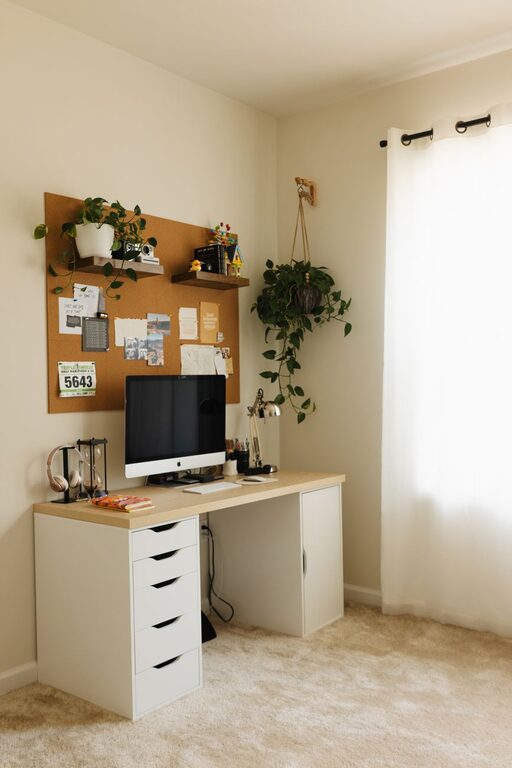

Creating a home workspace that is both cozy and productive can make a significant difference in your daily routine. Whether you work remotely full-time, occasionally need to focus on projects, or simply want a dedicated space to keep your tasks organized, designing the right environment can enhance your comfort and efficiency. Here are some helpful tips to set up a home workspace you’ll love.
1. Choose the Right Location
The first step in creating an effective home workspace is selecting the best spot in your home. Look for a quiet area with minimal distractions and sufficient natural light. If possible, avoid high-traffic zones like the kitchen or living room where interruptions are more likely.
Consider these factors:
– Lighting: Natural light can reduce eye strain and boost mood. Position your desk near a window if you can.
– Noise level: Pick a space where you can focus without frequent background noise.
– Privacy: If you share your home with others, a room with a closeable door can help create boundaries.
2. Invest in Comfortable Furniture
Your desk and chair are the foundation of your workspace comfort and productivity.
– Ergonomic chair: Choose one that supports good posture, adjusts to your height, and includes lumbar support.
– Desk size: Ensure your desk is large enough to accommodate your computer, notepad, and other essentials without feeling cramped.
– Adjustability: Adjustable desks or standing desks offer flexibility and can help reduce sedentary time.
3. Organize Your Space
A cluttered workspace can make it difficult to concentrate. Keep your area tidy with these organization tips:
– Storage solutions: Use shelves, drawers, or storage bins to keep supplies and documents out of the way.
– Cable management: Use clips or covers to keep cords organized and prevent tangles.
– Declutter regularly: Spend a few minutes at the end of each day tidying up to maintain a clean environment.
4. Add Personal Touches
Customizing your workspace helps you feel more comfortable and motivated.
– Decor: Add framed photos, artwork, or inspirational quotes that make you happy.
– Plants: Indoor plants improve air quality and add a calming vibe.
– Colors: Choose calming or energizing colors for your walls or accessories, depending on your personal preference.
5. Optimize Lighting
Beyond natural light, it’s important to have proper task lighting.
– Desk lamp: Use adjustable lamps with soft, white light to reduce eye strain.
– Avoid glare: Position screens and lamps to minimize reflections on your monitor or work surface.
6. Limit Distractions
Creating boundaries in your space promotes focus:
– Noise-canceling headphones: Consider these if noise is an issue.
– Designate work hours: Communicate your schedule to housemates or family to minimize interruptions.
– Digital detox: Use apps or settings to limit non-work notifications during focus time.
7. Incorporate Healthy Habits
Your workspace should support your wellbeing.
– Movement breaks: Set reminders to stretch or walk periodically.
– Hydration: Keep a water bottle nearby to stay hydrated.
– Comfort: Add cushions or footrests if needed for better posture and comfort.
8. Use Technology Wisely
The right tech setup streamlines your work process.
– Reliable internet: Ensure your connection is fast and stable.
– Multiple monitors: If your work involves multitasking, extra screens may help productivity.
– Noise apps: Consider apps that play white noise or nature sounds to enhance focus.
Final Thoughts
Building a cozy and productive home workspace takes time and thoughtfulness, but the benefits are worth it. By creating an environment that supports comfort, organization, and focus, you can make working from home an enjoyable, efficient experience. Remember to personalize your space and adjust it as needed to fit your evolving work style.
Start small, keep your needs in mind, and soon you’ll have a workspace that feels just right!
About the Author